Skip to content
784bd Slots / Casino
LIVE LOBBY

784bd — Live Tables, Slots, and Cricket Betting in One Place

We've brought live casino tables from PlayStar and PG Soft, a full cricket sportsbook covering IPL and BPL markets, and your bKash, Nagad, or Rocket wallet into a single account — so your balance follows you whether you're on mobile or desktop. Access depends on your local law and eligible regions.

bKash Nagad Rocket
Browse games
CONTENT / 01

What You Find When You Open the Account

The 784bd lobby organises everything into clear rails — live casino, slots, sportsbook, and crash games — so you move between categories without hunting for a menu. Each rail loads its own filter bar, so you can narrow what is visible by match status, game type, or provider category without leaving the main lobby view. The search field at the top of the lobby accepts partial names, which is useful when you already know what you want to open. Your recently visited rooms appear in a dedicated row below the main rails, letting you return to an ongoing session in one tap rather than scrolling back through the full catalogue.

  • Live Casino Rail

    Baccarat Twilight and Baccarat JetSet anchor the live dealer section. Tables stream directly in your browser — no additional plugin needed. The live rail is visible from the main lobby without navigating away, and your seat history is recorded in your account under recent sessions.

  • Sportsbook Rail

    Cricket markets for IPL, BPL, and international fixtures sit at the top of the sportsbook. Football QuickScore covers major match markets. Browse open fixtures from the sportsbook tab in the lobby; your active bets and settlement history are tracked inside the account under the bets section.

  • Slots and Crash

    The slot rooms carry titles from PlayStar, Microgaming, Bigtime Gaming, and PG Soft. RTP figures are shown directly on game cards where the studio exposes them — we do not display figures the provider has not published. Crash Zap and similar fast-round games sit in their own category tab.

DISCOVER / 01

Choose your game

Full lobby
GAME NETWORK
PlayStar
Microgaming
Bigtime Gaming
PG Soft
CONTENT / 04

784bd lobby studios

The 784bd lobby carries content from PlayStar, Microgaming, Bigtime Gaming, PG Soft. To check the studio, rules or features of one specific game, open that game card or the published information panel.

  • PlayStar

  • Microgaming

  • Bigtime Gaming

  • PG Soft

ACCOUNT DESK

Account information

Review current account information after signing in.

Login
LOCAL PAYMENTS

Deposit and Withdraw with bKash, Nagad, or Rocket

Your 784bd wallet connects to bKash, Nagad, Rocket, and Upay — the mobile money rails that most accounts in Bangladesh already use for daily transfers. To add funds, go to the wallet section of your account, select your preferred payment method, and follow the fields and limits shown on that screen. When withdrawing, navigate to the same wallet section and select the withdrawal tab. The screen will display the fields required for your chosen mobile money account along with the minimum and maximum figures currently set for your account tier. Always verify that the destination number you enter matches the registered mobile money account to avoid a processing delay.

  • bKash

    bKash deposits and withdrawals are handled through the wallet section of your account. Select bKash, enter the amount within the limits shown on that screen, and follow the confirmation steps. Each completed transaction appears in your account history with a reference number you can use for support queries.

  • Nagad

    Nagad is available as a deposit and withdrawal route in the wallet section. The current limits for Nagad transfers are shown inside the deposit form when you select it — those figures come from your account configuration. Completed Nagad transactions are logged in the wallet history tab with timestamps and reference numbers.

  • Rocket

    Rocket appears in the wallet alongside bKash and Nagad. Use the same wallet flow: select Rocket, enter your amount, and follow the steps shown. If a Rocket transaction does not complete as expected, the reference number in your wallet history is the detail to share with the support team.

  • Upay

    Upay is a configured payment option in the 784bd wallet. It follows the same deposit and withdrawal flow as the other mobile wallet routes.

Banking
784BD
Mobile casino lobby
Popular Live Slots
BPL Final Live Baccarat JetSet Bangladesh Card Rush 503
MOBILE LOBBY

Built for phones, clear on desktop

Cards, tables, FAQ and policy pages stay easy to read on smaller screens.

  • Quick categories
  • Mobile first
  • Access
App
CONTENT / 03

Full Lobby Access from Your Phone Browser

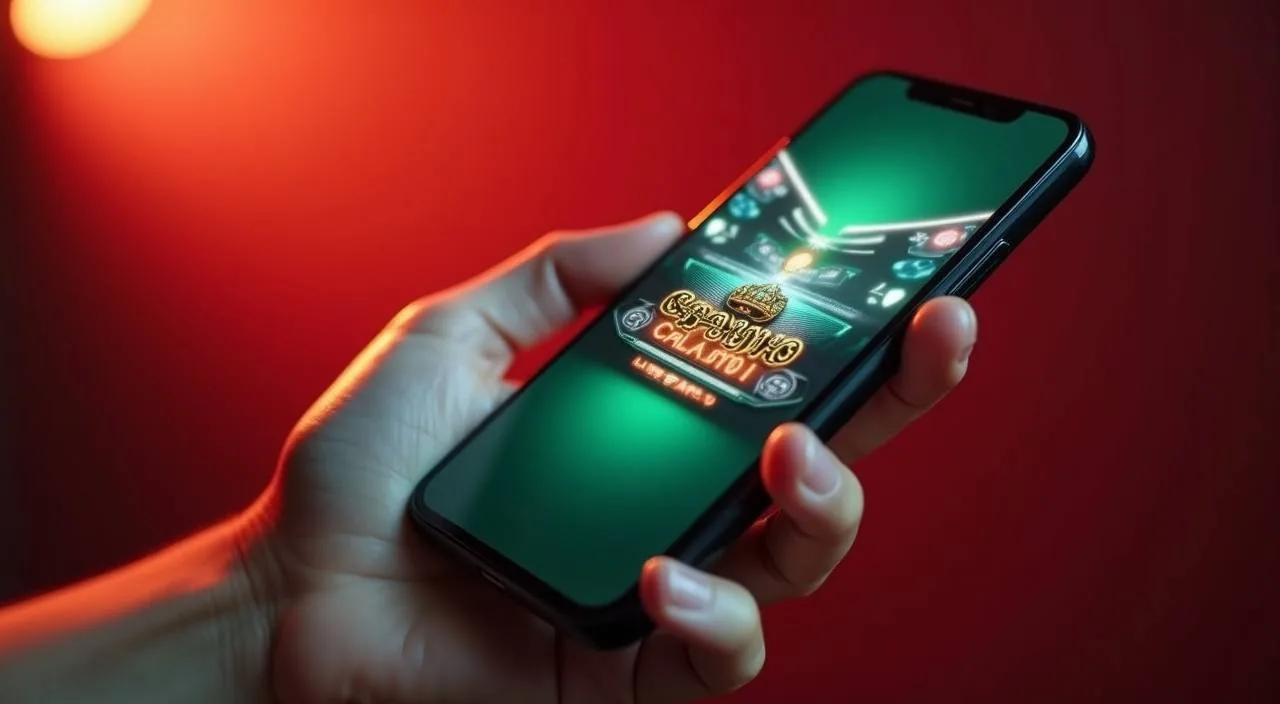
The 784bd platform runs in your mobile browser without a separate download. Open the site from Chrome or Safari on Android or iOS and the lobby reflows into a stacked, single-column layout — game rails, wallet, and account settings all sit within thumb reach. If the browser asks to add the site to your home screen, accepting that prompt creates a shortcut that opens 784bd directly without typing the address each visit. Notifications from the browser, if you allow them, can surface account activity updates. For the smoothest experience, keep your mobile browser updated to its latest version, as older builds occasionally render the wallet fields incorrectly.

  • No Download Needed

    The full 784bd lobby is available in your phone browser — Chrome on Android and Safari on iOS both work without any additional installation.

  • Mobile Wallet Flow

    The bKash, Nagad, Rocket, and Upay wallet routes work identically on mobile and desktop. Open the wallet section from the account menu, select your payment method, and follow the deposit or withdrawal fields shown on screen. Your transaction history and reference numbers are accessible from the same mobile account menu.

  • Account Sync Across Devices

    Your balance, active bets, and transaction history are tied to your 784bd account — not to a specific device or browser. Sign in from your phone and the same account state you left on desktop is there.
FEATURED TITLE

BPL Final Live — Cricket Betting in the Sportsbook

BPL Final Live is the dedicated cricket match room in the 784bd sportsbook, built around Bangladesh Premier League fixtures. It sits at the front of the sportsbook rail and shows available markets for current and upcoming BPL matches.

  • BPL Final Live

    The BPL Final Live room in the sportsbook covers Bangladesh Premier League cricket markets. Available markets and live data are shown inside the room, not on this page.

  • Football QuickScore

    Football QuickScore is the fast-market football room in the sportsbook. It sits alongside the cricket section in the sportsbook rail. Available fixtures and markets are shown live inside the room.

  • Bangladesh Card Rush 503

    Bangladesh Card Rush 503 is a card-game title in the casino section of the lobby. It is accessible from the casino rail on both mobile and desktop.

ACCOUNT PATH

Four Steps from the Homepage to Your First Game

Opening a 784bd account follows a short sequence — registration, email confirmation, wallet setup, and lobby access. Each step has fields and instructions shown on screen; follow what is shown rather than a separate guide, because the fields reflect your account's current configuration. Before completing registration, have your mobile number ready, as it is used during the confirmation step. Once your wallet is configured, the lobby becomes fully navigable and your account dashboard shows your current balance alongside a summary of recent activity. If any step shows an error message, the text of that message identifies which field needs correction, so read it before re-submitting the form.

  1. Step 1 — Register

    Open the account registration page from the 784bd homepage. Fill in the fields shown — the form specifies what is required. Your details are used for account verification; accurate information at this step avoids delays later when withdrawing to your bKash or Nagad wallet.

  2. Step 2 — Confirm Your Email

    After registration, a confirmation email is sent to the address you provided. Open it and follow the link to activate your account. If the email does not arrive within a few minutes, check your spam folder. The account is not active for deposits or gameplay until this step is complete.

  3. Step 3 — Set Up Your Wallet

    Once confirmed, go to the wallet section and select your payment method — bKash, Nagad, Rocket, or Upay are the configured options. The deposit form shows the current minimum and maximum amounts for your account.

  4. Step 4 — Open the Lobby

    With your wallet funded, head to the lobby. Use the rail at the top to move between live casino, sportsbook, and slot categories. Your account balance is shown at the top of every page.

MEMBER DESK / 06

Offers, support and account controls

01

Game lobby

02

Payment guide

03

Support

TRUST / 03

Support Routes for Account and Payment Questions

When something with your account or wallet needs attention, the fastest path is through the account help section rather than a general enquiry form. The 784bd account help page lists the current contact options — use the route that matches your question type.

  • Payment Support

    For any bKash, Nagad, Rocket, or Upay transaction that has not completed as expected, locate the transaction in your wallet history tab and note the reference number before contacting support. Include the reference and the payment method in your message.

  • Account Access Help

    Login issues, verification steps, and account settings questions are handled through the account help contact route. Before reaching out, check whether your email confirmation step was completed — an unconfirmed email is the most common reason an account cannot be accessed.

  • Game and Lobby Issues

    If a game is not loading or a lobby category is not displaying correctly, note the game name and the browser and device you are on, then raise the issue through the account help contact.

Learn more →
ACCOUNT CARE

How We Approach Account Safety and Fair Access

784bd keeps account controls visible and accessible because the accounts that stay active longest are the ones where the holder understands their wallet history, knows their limits, and has a direct route to support when something needs attention.

  • Account Controls

    Your account settings page holds the controls relevant to your account — transaction history with reference numbers, session records, and the configuration options your account tier allows. These are found in the account menu after signing in.

  • Wallet Transparency

    Every deposit and withdrawal made through bKash, Nagad, Rocket, or Upay is logged in your wallet history with a timestamp and reference number.

  • Fair Game Content

    Game content on 784bd is supplied by PlayStar, Microgaming, Bigtime Gaming, and PG Soft. RTP and volatility data for individual titles are shown on game cards where the studio has published them — we do not display figures that have not been provided by the st

  • Regional Access and Eligibility

    Access to 784bd and its casino, sportsbook, and slot content depends on your local law and eligible region. We do not make legal-certainty claims about access rules in any specific jurisdiction.

PLAYER INDEX / 07

Account and Payment Questions Answered

The questions below cover the account and payment topics that come up most often for 784bd accounts in Bangladesh. Each answer points to the specific screen or route where you can act — not a generic instruction to contact support for everything.

Player guide and glossary
  • How do I deposit using bKash on 784bd?

    Sign in to your 784bd account and open the wallet section from the account menu. Select bKash from the list of payment options.

  • Which payment methods are available for withdrawals?

    bKash, Nagad, Rocket, and Upay are the configured withdrawal routes in the 784bd wallet. Bank Transfer is available for accounts that have completed the verification step shown in account settings. To withdraw, open the wallet section, select your method, enter the amount within the limits shown on the withdrawal form, and confirm.

  • Why is my deposit not showing in my account balance?

    Open your wallet history tab — if the deposit appears there with a reference number but has not yet added to your balance, it is likely still processing through the payment rail. bKash, Nagad, Rocket, and Upay transfers do not always reflect instantly depending on network conditions.

  • Where can I find the cricket sportsbook on 784bd?

    Open the sportsbook tab from the main lobby rail — it is one of the category tabs at the top of the page. Cricket markets, including the BPL Final Live room covering Bangladesh Premier League fixtures, are at the top of the sportsbo

  • Do I need to download an app to use 784bd on my phone?

    No download is needed. The full 784bd lobby — live casino, sportsbook, slots, and crash games — is available through your phone browser. Chrome on Android and Safari on iOS both work without any additional installation.

  • How does account verification work and why does it matter?

    Account verification involves confirming the details you provided during registration. The first step is email confirmation — your account is not active for deposits or withdrawals until this is done.

  • Where is the RTP information for slot games?

    RTP figures are shown on individual game cards in the lobby where the studio — PlayStar, Microgaming, Bigtime Gaming, or PG Soft — has published them. Not all titles in the catalogue include a published RTP figure; we only display what the studio has provided.

  • What should I do if a game is not loading correctly?

    Start with a browser refresh — live casino tables like Baccarat Twilight and session-based games like Crash Zap sometimes need a refresh if your session has been idle for a while.

Full glossary
EXPLORE FURTHER / 04

Explore detailed guides

Local lobby check

LOBBY / 02

One mobile lobby, distinct game areas

BPL Final Live Sports BPL Final Live Access → Baccarat JetSet Live Baccarat JetSet Access → Bangladesh Card Rush 503 Slots Bangladesh Card Rush 503 Access → Football QuickScore Sports Football QuickScore Access → Crash Zap Slots Crash Zap Access → Baccarat Twilight Live Baccarat Twilight Access →
QUICK ANSWERS

Frequently asked questions

These questions cover platform access, account security, and how to navigate the 784bd lobby across different devices and situations. They complement the payment and account questions above — between the two sections, most of the common queries an account holder in Bangladesh is likely to have are covered here.

Read FAQ →
Is 784bd accessible from Bangladesh?

Access to 784bd depends on your local law and the eligible regions configured for the platform. We do not make legal-certainty claims about access in any specific jurisdiction. Before registering or depositing, check whether online sports betting and casino gaming are permitted under the laws that apply to your location.

How do I contact support for an account issue?

The account help page lists the current contact options available to 784bd accounts. For payment questions, include the transaction reference number from your wallet history tab — this is the single most useful detail for the support team.

Can I use the same 784bd account on multiple devices?

Yes. Your 784bd account is tied to your login credentials, not to a specific device. Sign in from your phone browser, tablet, or desktop and the same balance, transaction history, active bets, and account settings are available.

What is Bangladesh Card Rush 503?

Bangladesh Card Rush 503 is a card-game title available in the casino section of the 784bd lobby. It is accessible from the casino rail on both mobile and desktop browsers. RTP information for the title is shown on the game card if the studio has published it.

How do I change my payment method on 784bd?

Open the wallet section of your account from the account menu. The deposit and withdrawal forms let you select from the configured payment options — bKash, Nagad, Rocket, Upay, and Bank Transfer where unlocked.

What games does PG Soft supply on this platform?

PG Soft supplies slot and live format game content to the 784bd lobby. The specific titles available from PG Soft are shown when you filter the lobby by studio using the provider strip.

How do I check my transaction history on 784bd?

Sign in to your account and open the wallet tab from the account menu. Your transaction history lists every deposit and withdrawal with a date, the payment method used, the amount, and a reference number. The history does not clear between sessions — it is a running record from your first transaction.

What should I do if I forget my 784bd account password?

Use the password reset option on the login page. Enter your registered email address and follow the reset link sent to that inbox. If the reset email does not arrive within a few minutes, check your spam folder. Complete the steps shown in the reset flow to set a new password.

READY WHEN YOU ARE

784bd game lobby

Access may be available only where local law permits.

Register Login